Feature
Everything in the dashboard, also in your code
A versioned REST API for codes, domains, brands, and analytics - so integrations and bulk work never mean clicking through screens by hand.
Feature
A versioned REST API for codes, domains, brands, and analytics - so integrations and bulk work never mean clicking through screens by hand.
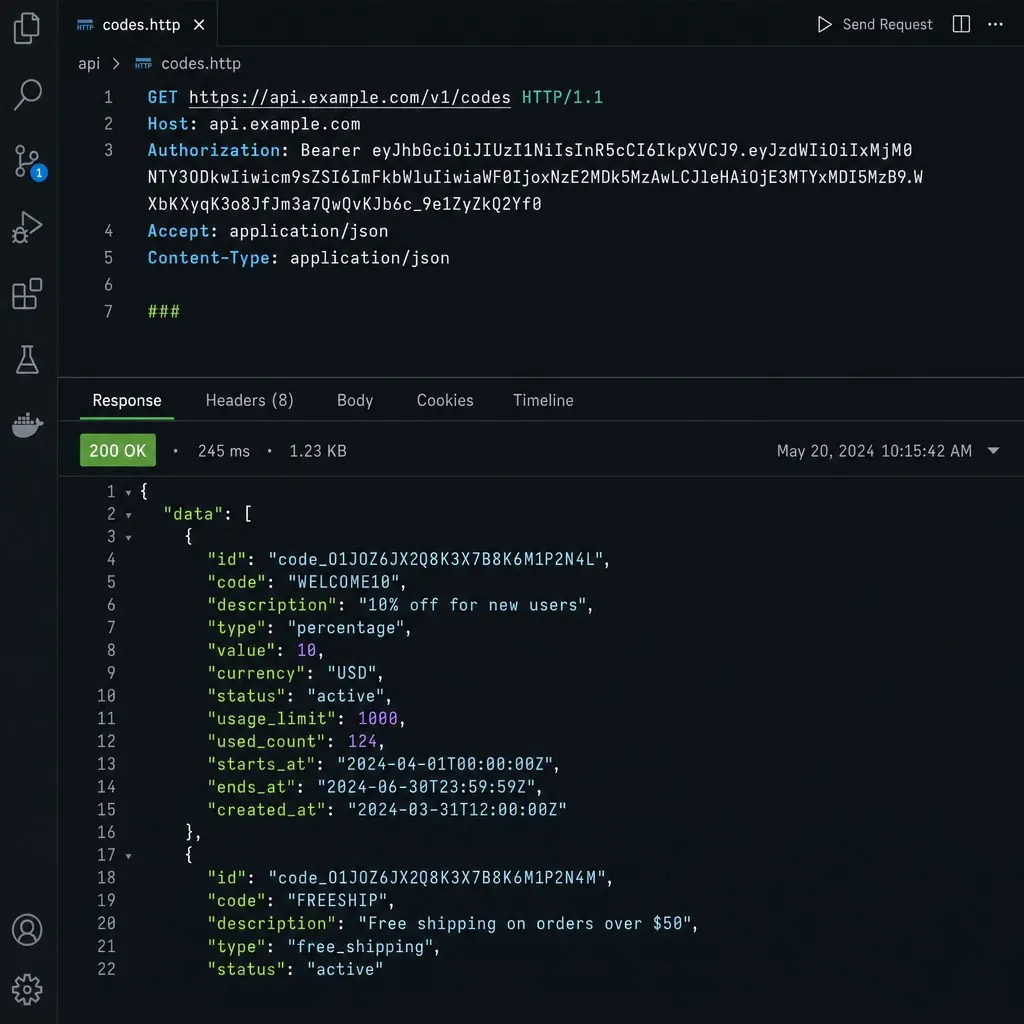
QR Hero's REST API lets you create, update, and track QR codes programmatically — every action available in the dashboard is also callable from your own code.
Clicking through a dashboard works fine for a handful of QR codes. It stops working once you're managing hundreds of them, or once a code's destination genuinely needs to change automatically - driven by inventory levels, a CMS update, or a scheduled campaign swap - rather than by someone remembering to log in and edit it by hand.
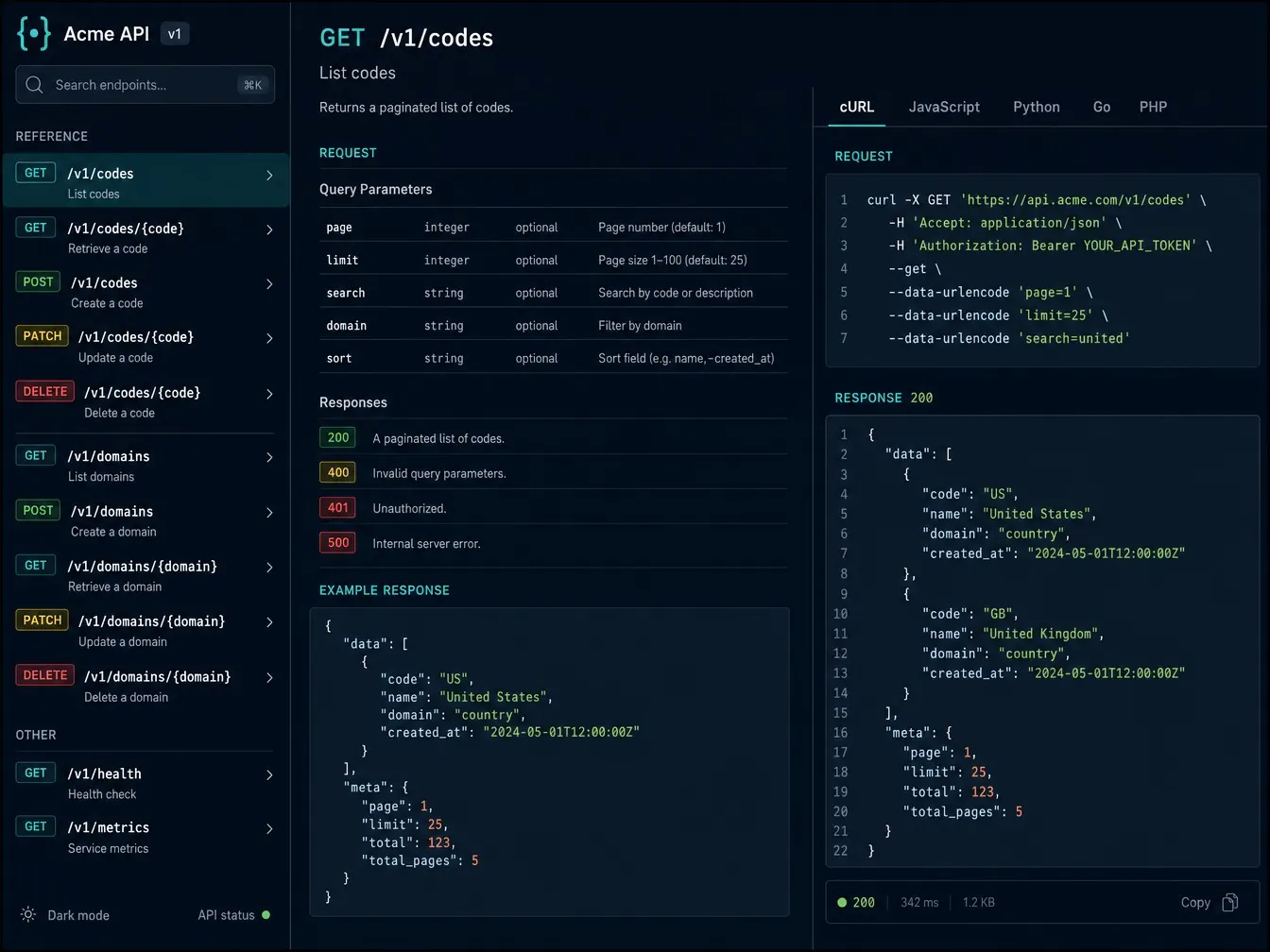
QR Hero's API is a versioned REST interface at /v1 that covers the same ground as the dashboard: creating and updating codes, managing custom domains and brand settings, and pulling analytics, all callable from your own code. Access is controlled through scoped, revocable personal access tokens, so an integration or script gets exactly the abilities it needs and nothing more.
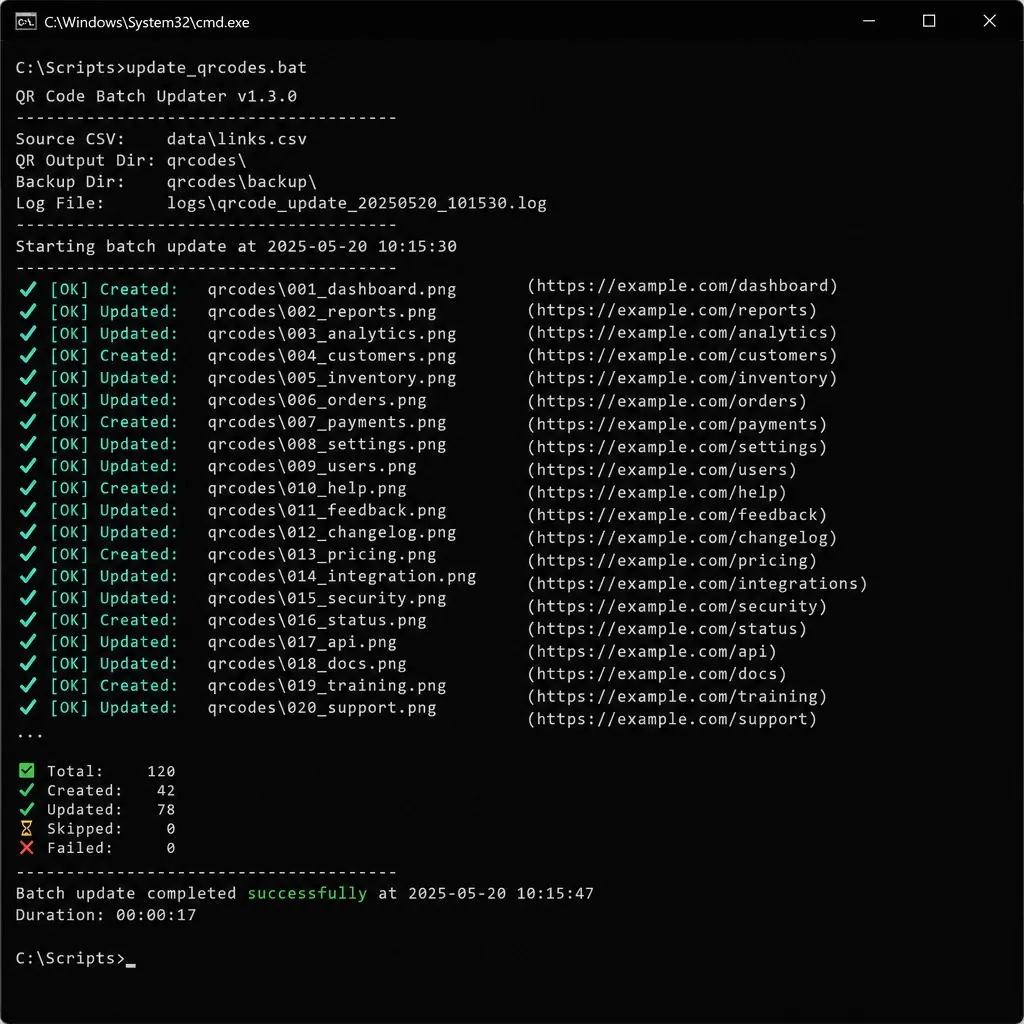
In practice that means bulk imports and updates run from a script instead of a browser tab, destination changes can be triggered by your own systems the moment a real-world condition changes, and analytics flow straight into your own BI stack instead of a CSV export you have to remember to pull. Documented rate limits keep usage predictable, so integrating QR code management into your existing tooling never turns into a surprise.
Teams building on the API often connect it to MCP for AI assistants so an AI assistant can call the same endpoints, and agencies use it alongside Agency & multi-brand management and Scan analytics to automate reporting across every client org.
Every bulk update or client integration means someone clicking through screens by hand.
A versioned REST API covers codes, domains, brands, and analytics.
Bulk updates and integrations run from your own systems or scheduled jobs, not a browser tab.
Create a personal access token from Settings → API tokens, with only the abilities it needs.
Manage codes, domains, brands, and analytics over a versioned REST API at /v1.
Included call volume plus a rate ceiling per plan - usage beyond that draws from your account, never a surprise.

Full QR code CRUD
Create, update, and bulk-import codes without touching the dashboard.
Domains and brands endpoints
Manage custom domains and brand settings from your own systems.
Analytics, read-only
Pull scan data per code or org-wide into your own reporting.
Scoped, revocable tokens
Each token carries its own ability list - give an integration only what it needs.
Documented rate limits
A platform ceiling plus a per-plan limit, so you always know your headroom.
Full API reference
Endpoints, auth, rate limits, and a quickstart, kept in sync with what's shipped.
Custom JavaScript hooks
Run your own script on scan or destination change, on the same plans as API access.
Put it to work on your next print run
Your first dynamic code is live in minutes, on your own domain.
API access is included from the Business plan up. Starter does not include it - see Pricing for the full comparison.
Account details (name, email, password, company/billing) and wallet or payment changes stay UI-only, for security - everything else the dashboard can do, the API can too.
Yes - each plan includes a monthly call volume plus a rate ceiling. Usage beyond that draws from your account as metered overage, rather than failing outright.
No - the API and dashboard read and write the same underlying data, so you can mix and match: manage some codes by hand, automate others.
Common pairings for campaign-driven teams.
See this feature in context, industry by industry.
Your first dynamic code is live in minutes, on your own domain.